


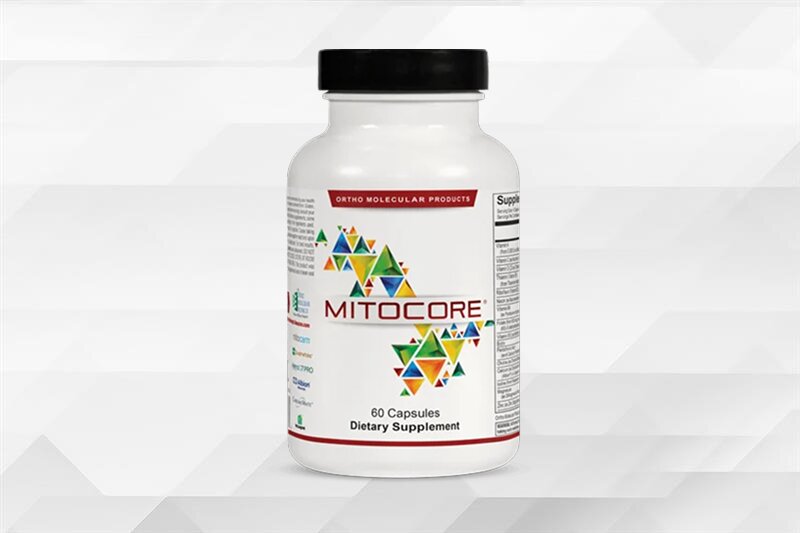
Supports mitochondrial function and metabolic processes to promote daily energy, focus and vitality.
- Supports cellular energy production
- Promotes healthy metabolic function
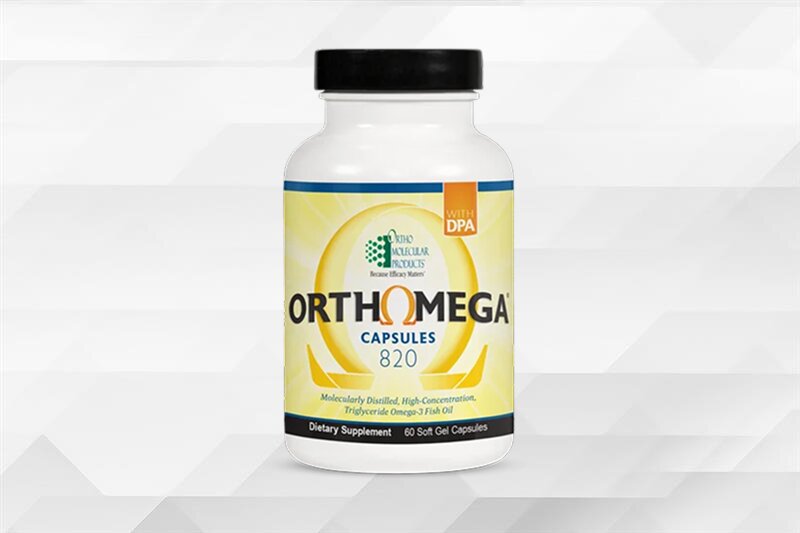
Supports heart, brain, joint, skin, and eye health while helping maintain a healthy inflammatory response.
- Supports cardiovascular health and blood sugar metabolism
- Helps maintain joint health and normal inflammatory balance
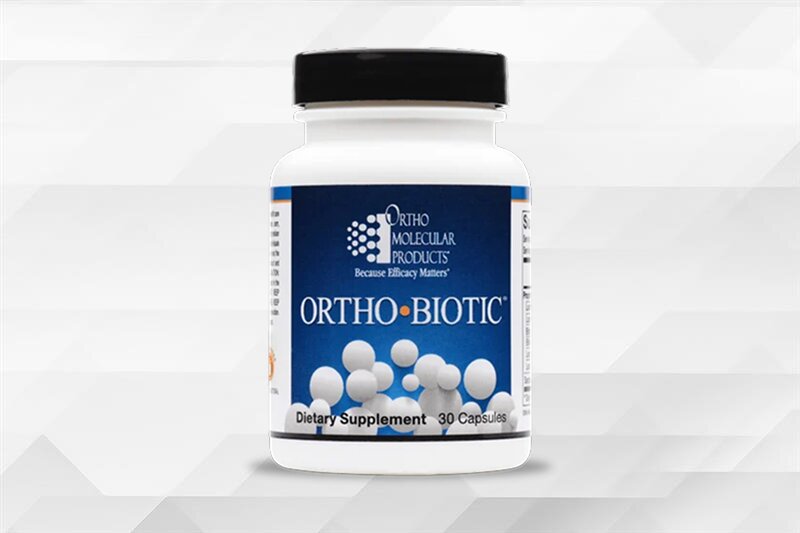
Promotes a balanced gut microbiome to support digestion, nutrient absorption, and immune function.
- Supports secretory IgA and gut immune health
- Promotes digestive comfort, bowel regularity, and nutrient absorption
Supports mitochondrial function and metabolic processes to promote daily energy, focus and vitality.
- Supports cellular energy production
- Promotes healthy metabolic function
Supports heart, brain, joint, skin, and eye health while helping maintain a healthy inflammatory response.
- Supports cardiovascular health and blood sugar metabolism
- Helps maintain joint health and normal inflammatory balance
Promotes a balanced gut microbiome to support digestion, nutrient absorption, and immune function.
- Supports secretory IgA and gut immune health
- Promotes digestive comfort, bowel regularity, and nutrient absorption
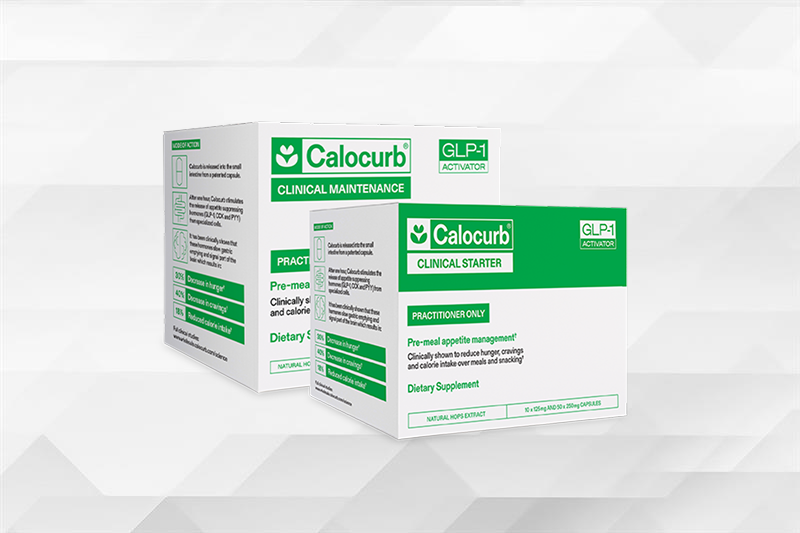
Supports healthy appetite regulation and metabolic function by promoting the body's natural satiety signals.
- Stimulates natural GLP-1, CCK, and PYY release
- Enhances adherence to intermittent fasting and time-restricted eating
Promotes a balanced gut microbiome to support digestion, nutrient absorption, and immune function.
- Delivers 11 g of fiber to support digestive health
- Supports natural GLP-1 production to help manage appetite
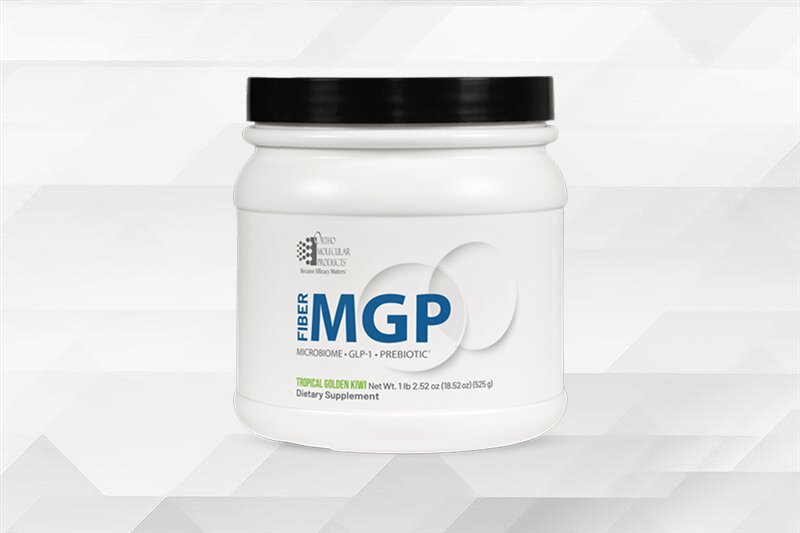
Supports healthy appetite regulation and metabolic function by promoting the body's natural satiety signals.
- Stimulates natural GLP-1, CCK, and PYY release
- Enhances adherence to intermittent fasting and time-restricted eating
Promotes a balanced gut microbiome to support digestion, nutrient absorption, and immune function.
- Delivers 11 g of fiber to support digestive health
- Supports natural GLP-1 production to help manage appetite
From evidence-based formulations and uncompromising quality standards to long-term partnerships with licensed health care practitioners, our purpose-driven approach shapes everything we do.

From evidence-based formulations and uncompromising quality standards to long-term partnerships with licensed health care practitioners, our purpose-driven approach shapes everything we do.
Our evidence-based supplements are available only through licensed health care professionals, reflecting our commitment to the medical community.

Our evidence-based supplements are available only through licensed health care professionals, reflecting our commitment to the medical community.
Our commitment to evidence-based formulation, rigorous quality standards, and practitioner partnership has earned recognition across the health care industry. These distinctions reflect our ongoing focus on scientific integrity, efficacy, and clinical trust.

Our commitment to evidence-based formulation, rigorous quality standards, and practitioner partnership has earned recognition across the health care industry. These distinctions reflect our ongoing focus on scientific integrity, efficacy, and clinical trust.
Access educational product videos, detailed product information sheets, and approved social media assets designed to support licensed health care professionals.
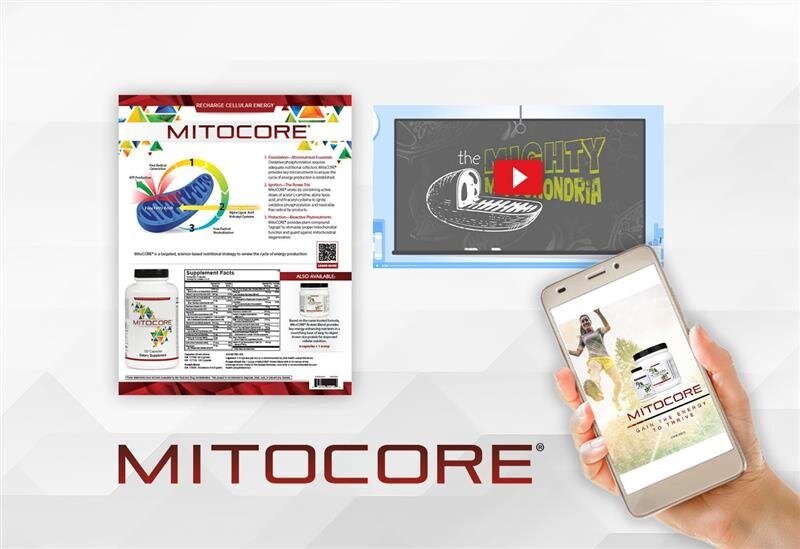
Access educational product videos, detailed product information sheets, and approved social media assets designed to support licensed health care professionals.
Find the right solution for ordering, patient care, and practice growth.
Find the right solution for ordering, patient care, and practice growth.
Tools and programs designed to help independent pharmacies drive front-end growth and long-term patient loyalty.

Tools and programs designed to help independent pharmacies drive front-end growth and long-term patient loyalty.
We partner exclusively with licensed health care professionals to deliver evidence-based supplements and clinical support.
We partner exclusively with licensed health care professionals to deliver evidence-based supplements and clinical support.

How to Open an Ortho Molecular Practitioner Account
TL;DR: At Ortho Molecular Products, we partner with state licensed health care professionals, and a practitioner account is how that partnership starts. You apply online at /register with your practice address, clinic, medical discipline, license number, and the state that issued your license. We review most applications within 1-2 business days and email you a confirmation. Once you are approved, you receive a welcome packet with our catalog, your price list, and your sales representative's contact details, and you can order with no minimum.
Who this guide is for
This guide is for licensed practitioners, and the office managers who work with them, who want to offer Ortho Molecular Products to their patients. It walks through the application, the details to have ready, what happens after you submit, how ordering works, and the ways you can get products to patients. Each step has a deeper guide in this series.
If you are a patient looking for our products, the guide to buying Ortho Molecular Products explains how to get them through your practitioner.
Why we partner with practitioners
We are "committed to serving the medical community exclusively," and we believe "guidance from an expert is integral to the long-term well-being of your patients" (/practitioners). That is why our products are available through state licensed health care professionals, and why patients who want them are asked to consult their physician or licensed health care provider (/service/faq).
For your practice, the partnership comes with a lot of support. We design our formulations "using peer-reviewed research and clinical insight," and our sales and customer service teams are there to help "every step of the way" (/why-ortho). You can open the NSF 455-2 GMP facility listing for our Stevens Point, Wisconsin plant on NSF's site.
Every account starts with the same application, and you need an approved account to place orders on our website (/service/faq). Not sure whether your discipline fits? Who can buy Ortho Molecular Products explains how eligibility works.
How the steps fit together
Opening the account is one step in a short sequence. Each step has its own guide in this series:
- Confirm the account fits your practice. Read who can buy Ortho Molecular Products.
- Apply and send tax paperwork. This page.
- Get approved and meet your rep. Read what happens after you apply.
- Plan your first order. Read wholesale pricing and ordering.
- Choose how patients receive products. See in-office vs online dispensary.
What to have ready before you apply
Gathering these details first lets you finish the form in one sitting (/register):
- Your name and a working email. Your first and last name together can be up to 26 characters on the form. The email becomes your login.
- A password of 12 to 30 characters with at least one lowercase letter, one uppercase letter, one number, and one special character.
- Your practice address, including suite number, city, state, ZIP, and county. The form asks you to mark whether the address is residential.
- A phone number and your clinic name.
- Your medical discipline, chosen from the list on the form.
- Your license number and the state that issued it.
- Sales tax exemption paperwork, if you qualify. You send this separately after you register (see step 4 below).
How to apply: step by step
1. Choose the practitioner account
On the registration page, choose the practitioner account (/register).
2. Complete every field
Fill in your contact details, practice address, clinic, discipline, license number, and license state.
3. Agree to the terms and submit
By creating an account you agree to our terms and conditions and privacy policy, which includes receiving email offers and promotions. You can change your email preferences later through the privacy policy or by calling Customer Service (/register).
4. Send sales tax exemption paperwork if it applies
If you qualify for a sales tax exemption on purchases, email the paperwork to contactus@ompimail.com or fax it to (800) 476-4664. We send a confirmation once your account is updated, and orders placed before that confirmation may be subject to sales tax (/register). Sending it right after you register keeps your first order clean.
5. Watch for your confirmation email
Our team reviews each request, and "most applications are reviewed within 1-2 business days" (/register). You receive an email confirmation when the account is approved, and it is available immediately (/register, /service/faq).
What happens after you apply covers the review, the welcome packet, and your first conversation with your rep.
What you get once you are approved
- Online ordering. An approved account lets you order on our website (/service/faq).
- A welcome packet with our catalog, a price list, and contact information for your Sales Representative (/service/faq).
- A sales representative in your region. If you need your rep's details later, contact contactus@ompimail.com or call (800) 332-2351 (/service/faq).
- Clinical resources: educational product videos, product information sheets, and approved social media assets (/practitioners).
- Practice solutions: Clinical Care Path™ for "practitioner-guided supplement protocols and ordering", OrthoPacks for "personalized supplement packets for patient adherence", and Wholesale to "browse and order professional-grade supplements" (/practitioners).
- A Pharmacy Program with growth tools for independent pharmacies (/practitioners).
How ordering works
Our ordering terms are published in our FAQ. The ones new accounts use most are (/service/faq):
- No minimum order.
- Same day shipping for in stock products ordered before 3pm CST. Next Day Air and 2Day Air are available for an added charge.
- Free FedEx Ground shipping on orders over $275. Orders below that ship for $11.95.
- Volume discounts: 5% off at 72 bottles, 10% off at 144.
- Drop shipping to patients, with a $6 fee per shipment on top of standard shipping.
- Returns of Ortho labeled items within 30 days of purchase.
- Subscriptions that you can change or cancel in the My Account section.
- Accepted cards: American Express, Discover, Visa, and MasterCard.
Reliable supply is part of our promise: "We ship 98% of orders same-day" (/why-ortho). Your price list arrives in your welcome packet, and wholesale pricing and ordering explains how to size a first order and how returns work.
Choosing how patients will get products
Your account gives you more than one way to get products to patients. The three most common setups are:
- In-office dispensing. You order stock and hand products to patients at the visit.
- Drop shipping. You order, and we ship directly to the patient (/service/faq).
- An online, practitioner-guided option. Clinical Care Path™ offers "practitioner-guided supplement protocols and ordering" (/practitioners).
You can mix these. In-office vs online dispensary compares them side by side. For the bigger picture of building a dispensary inside your practice, see the practice dispensary guide.
If you plan to place our products on your own website, contact your rep first for details and guidelines (/service/faq), and read the Authorized Resale Policy and Minimum Advertised Price Policy linked in your account terms.
Already using another professional line?
Moving your shelf from another brand is a planning job: list what you recommend most, phase the change, and tell patients clearly. Switching to Ortho from another professional brand gives a step by step plan.
Your first 14 days: a checklist
- Apply at /register.
- Send sales tax exemption paperwork if it applies.
- Read the confirmation email and log in at /login.
- Review the catalog and price list from your welcome packet.
- Contact your sales representative and agree on a first order.
- Decide how patients will receive products: in office, drop ship, Clinical Care Path™, or a mix.
- Place a first order built around the products you recommend most. There is no minimum.
- Save the return and shipping terms from our FAQ where your staff can find them.
Getting more from your account: what experienced practices do
Once the account is open, the practices that get the most from it tend to do three things:
- Build reusable protocols. In Clinical Care Path™ you can "create and save supplement protocols," then reuse and customize them for future patients (/clinical-care-path). Setting up your five most common recommendations in week one saves time at every visit after that.
- Put our education to work. Product information sheets and educational product videos (/practitioners) help your team explain each recommendation the same way, every time.
- Keep patients on track between visits. Clinical Care Path™ patients can set up automatic deliveries, "reducing gaps in their care routine," and you receive a monthly report covering patient activity and order history (/clinical-care-path).
Tips for a smooth start
- Confirm tax exemption before your first order. Orders placed before confirmation may be taxed (/register).
- Start with your core products. With no minimum order, you can let demand shape your shelf.
- Talk to your rep first if you plan to list products online. We ask you to contact your rep first (/service/faq).
Frequently asked questions
How do I open an Ortho Molecular practitioner account? Go to /register, choose the practitioner account, and complete the form with your contact details, practice address, clinic, medical discipline, license number, and license state. We review the request and email you when the account is approved.
Do I need an account to order on the Ortho website? Yes. You need an account to place an order on our website, and your account is set up once you are approved for online access.
Will I be told when my account is approved? Yes. We review most applications in 1-2 business days. You receive a confirmation email, and your account is ready to use as soon as it is approved.
Is there a minimum order? You can order any amount. Our FAQ states there is no minimum order required.
Will I get a price list? Yes. On registration you receive a welcome packet with our catalog, a price list, and your Sales Representative's contact information.
Can patients buy Ortho products directly? Patients get our products through a state licensed health care professional. Patients who want them are asked to consult their physician or licensed health care provider.
How do I get a sales tax exemption? Email your exemption paperwork to contactus@ompimail.com or fax it to (800) 476-4664. Orders placed before we confirm the update may be subject to sales tax.
Who do I contact with account questions? Customer Service at (800) 332-2351 or contactus@ompimail.com, Monday to Friday, 7am to 6pm CST.
Guides in this series
- Who can buy Ortho Molecular Products
- What happens after you apply
- Wholesale pricing and ordering
- In-office vs online dispensary
- Switching to Ortho from another professional brand
Related guides: practice dispensary guide, supplement quality guide, buying Ortho Molecular Products. Learn more about partnering with Ortho.
Next step
Have your license number, license state, and practice details ready, then open your practitioner account. Already approved? Log in.


These statements have not been evaluated by the Food and Drug Administration. These products are not intended to diagnose, treat, cure or prevent any disease.
